
iPad rental for trade show check-in gives event and marketing teams a fast, professional way to register attendees and capture leads without buying devices they’ll only use a few days a year. A rented iPad arrives pre-configured, gets used for check-in scanning or lead capture forms during the show, and gets returned when the booth comes down, no ongoing device management required.
For companies running booths at multiple trade shows a year, this has become the default setup rather than the exception. Here’s what actually makes iPad rentals work well for check-in and lead capture, and what to confirm before you book.
Why iPads Work Well for Check-In and Lead Capture
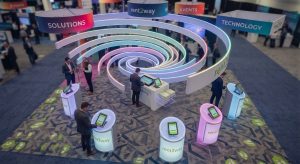
Check-in and lead capture both come down to the same basic need: getting attendee information into a system quickly, without long lines or manual data entry. iPads handle this well because they’re familiar to use, have a large enough screen for forms and QR scanning, and run lead capture apps smoothly without lag.
Staff working a booth for eight hours a day also benefit from a device that’s simple enough that no one needs training to use it correctly. A confusing interface at check-in slows down the line and creates a bad first impression before the conversation with your team even starts.
Check-In vs. Lead Capture: Two Different Jobs, Same Device
These two use cases often get bundled together, but they serve different purposes at your booth.
| Function | What It Does | Typical Setup |
|---|---|---|
| Check-in | Scans badges or QR codes to register attendee arrival | Kiosk-style, often stationary at booth entrance |
| Lead capture | Collects attendee info, interests, and notes during a conversation | Handheld, used by booth staff walking the floor |
Some teams use the same iPad rental for both, switching between apps depending on the moment. Others rent separate devices dedicated to each function, especially for larger booths with steady foot traffic.
What to Look for in an iPad Rental for Trade Shows
Not every rental setup is equal. Before booking, it’s worth confirming a few things with your provider:
- Which iPad model and screen size fits your check-in or lead capture app’s requirements
- Whether the devices come with your lead capture software pre-installed, or if that setup happens on your end
- How many devices you actually need, based on booth size and expected foot traffic
- Whether kiosk mode (locking the device to a single app) is available, so attendees or staff can’t accidentally exit the check-in screen
- What happens if a device is lost or damaged during the show
Kiosk Mode Matters More Than Most Teams Expect
If attendees are checking themselves in, or if staff are handing the iPad to someone during a demo, kiosk mode keeps the device locked to your check-in or capture app. Without it, someone can accidentally back out to the home screen, open another app, or wander into settings, all of which slow down your booth line and look unpolished in front of prospects.
How Many iPads Do You Need for Your Booth?
This depends on booth size and traffic more than headcount. A small booth with light foot traffic might run fine with one or two iPads split between check-in and lead capture. Larger booths with continuous attendee flow often need a dedicated check-in device plus one lead capture device per staff member actively working the floor.
Rent2way supplies late-model iPads for trade shows and corporate events nationwide, with flexible rental terms based on your specific booth setup and event details. Whether your event is at a major convention center or a smaller regional expo, Rent2way works with event and marketing teams to get the right number of rental iPads ready before doors open.
FAQ
Can rental iPads be locked to just our check-in app?
Yes, kiosk mode setup is available to lock a device to a single app, which is common for trade show check-in and self-service use. Confirm this with your provider ahead of the event.
How many iPads do I need for lead capture at a trade show?
This depends on booth size and staff count, but a common approach is one lead capture device per staff member actively working the floor, plus a dedicated check-in device if attendee volume is high.
Do rental iPads come with lead capture software installed?
This varies by provider and event. Contact Rent2way to confirm what setup is included for your specific booth and lead capture app.
Is renting iPads cheaper than buying for a trade show?
For companies attending occasional trade shows, renting is typically more cost-effective than buying once setup, storage, and depreciation between events are factored in.
What happens if an iPad is lost or damaged during the show?
Terms for lost or damaged equipment are outlined in the rental agreement. Contact Rent2way to review specifics before your event.
Can I rent iPads for a trade show in any city?
Rent2way provides iPad rentals nationwide, wherever your event is located, with rental terms confirmed based on your event’s specific details.
