
Most rental hotspots support between 15 and 32 connected devices at once, though the practical number that works well depends on what those devices are doing, not just how many there are. A hotspot that lists “30 devices” on the spec sheet can still slow to a crawl if a handful of those devices are streaming video or processing card payments simultaneously.
This matters more than most event planners realize until it’s too late. A wireless hotspot that looks like plenty on paper can leave half your booth or team without a usable connection if the device count and usage type aren’t matched up correctly before the event.
The Spec Sheet Number vs. The Real-World Number
Manufacturers list a maximum device count based on basic connectivity, checking email, light browsing, occasional app use. That number assumes devices aren’t all pulling bandwidth at the same time.
In practice, event use rarely looks like that. Card readers, lead capture apps, live streaming, and video calls all pull significantly more bandwidth per device than casual browsing. A hotspot rated for 30 devices might handle 30 people checking email fine, but struggle with 15 devices all running payment processing or video at once.
| Use Case | Bandwidth Per Device | Realistic Device Count on One Hotspot |
|---|---|---|
| Basic browsing, email, check-in apps | Low | Up to the rated maximum (15-32) |
| Card readers, mobile payments | Low to moderate | 15-20 devices comfortably |
| Live streaming or video calls | High | 3-6 devices comfortably |
| Mixed use (booth with payments + browsing) | Moderate | 10-15 devices comfortably |
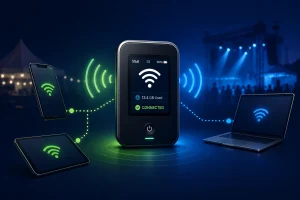
What Actually Determines the Right Number for Your Event
Three factors matter more than the device count alone:
- What the devices are doing. A trade show booth running card readers and lead capture tablets needs a very different setup than a media team live-streaming a keynote.
- How many hotspots you’re running, not just how many devices. Splitting devices across two hotspots instead of relying on one often solves bandwidth problems better than searching for a single higher-capacity unit.
- Network type, 4G LTE vs. 5G. A 5G-capable hotspot generally handles more simultaneous high-bandwidth devices than a 4G LTE unit…
When One Hotspot Isn’t Enough
For larger teams or booths, it’s often more reliable to rent multiple hotspots split by function rather than one unit stretched across every device. A common setup: one hotspot dedicated to payment processing and check-in devices, and a separate hotspot for staff phones, laptops, or streaming needs. This keeps a bandwidth-heavy task on one device from slowing down a critical task on another.
FAQ
How many devices can connect to a 5G hotspot?
Most 5G rental hotspots support up to 30-32 connected devices, though the realistic number depends on what those devices are doing, not just the maximum listed.
Can too many devices slow down a hotspot?
Yes. Connecting more devices than the hotspot can comfortably support, especially bandwidth-heavy devices like card readers or streaming equipment, slows the connection for everyone on it.
Should I rent one hotspot or multiple for my event?
For larger teams or booths with mixed device needs (payments, streaming, general browsing), splitting devices across two or more hotspots is often more reliable than relying on one unit.
Does a 4G or 5G hotspot support more devices?
5G hotspots generally handle more simultaneous high-bandwidth devices than 4G LTE hotspots, which matters for tasks like streaming or heavy app use.
How many devices should connect to a hotspot for a trade show booth?
For a typical booth running card readers, check-in tablets, or lead capture apps, planning for 10-15 devices per hotspot is a safer estimate than relying on the maximum rated capacity.
Can I test the hotspot before my event?
Setup guidance and support are available with every Rent2way rental. Contact our team to discuss your specific device count and usage needs before your event.
